Engineer to Order ERP: Managing Complex Project Manufacturing in Industrial Equipment
Engineer to order ERP gives industrial equipment manufacturers the project-level control that standard ERP systems can’t provide. Custom builds demand iterative design, dynamic BOMs, cross-functional coordination, and real-time cost tracking—all managed within a single system. This guide covers what makes ETO manufacturing unique, the capabilities to look for in an ETO-ready ERP, and best practices for managing complex projects from quote to delivery.
Engineer to Order Key Takeaways:
- ETO manufacturing requires ERP that handles iterative design, dynamic BOMs, and project-based cost tracking—standard ERP isn’t built for this level of complexity.
- Integrating CAD and PLM tools with ERP keeps BOMs, procurement, and production synchronized as designs evolve throughout a project.
- Project-based production planning and real-time cost visibility help teams catch overruns and scheduling conflicts before they escalate.
- Quality management and document control built into ERP maintain traceability and regulatory compliance across every custom build.
Engineer to Order Manufacturing: What Makes It Different?
In engineer to order, each order starts as a detailed customer conversation, requirements, specifications, and feasibility studies, not a standard product off the shelf. The process involves custom design, engineering, procurement for non-standard parts, and careful planning for assembly, validation, and delivery. Industrial equipment manufacturers often manage products that require cross-disciplinary engineering (mechanical, electrical, software, mechatronics) and must coordinate teams across design, procurement, manufacturing, and quality.
“Engineer to order isn’t just about building something new. It’s about aligning technical expertise and project management with each customer’s goals, every single time.” — Edward Szukalo, General Manager, INDUSTRIOS Software, Inc.
Why Engineer to Order ERP Is Essential
Manufacturing industrial equipment in an ETO environment means navigating dozens of risks: design changes, long lead times, custom parts, shifting scope, and frequent customer updates. Standard ERP isn’t enough—the right engineer to order ERP manages iterative design, integrates with CAD platforms, and tracks every BOM (bill of material) revision and workflow step as the project evolves. With a central ERP, manufacturers get:
- Real-time project and cost tracking: Every design revision, procurement order, labor hour, and change order feeds into financial management, ensuring profitability and controlling costs.
- Integrated engineering and change management: ERP connects design tools (like SOLIDWORKS, Autodesk, Siemens) with procurement and production. This means BOMs update in sync with design changes.
- Dynamic scheduling and resource planning: Project timelines shift often in ETO. ERP systems provide transparent scheduling for engineering, procurement, and manufacturing steps so teams aren’t working in the dark.
- Document and compliance control: ETO projects generate extensive technical documentation. ERP tracks specs, revisions, test results, and regulatory compliance data, centralizing everything for easy access.
Best Practices for Project Manufacturing with Engineer to Order ERP
- Collaborative Quoting and Estimation
- Instead of guessing based on past projects, ERP-driven quoting uses integrated engineering, procurement, and historical data to produce realistic costs and lead times, for truly custom builds.
- Instead of guessing based on past projects, ERP-driven quoting uses integrated engineering, procurement, and historical data to produce realistic costs and lead times, for truly custom builds.
- Multi-Level BOM and Revision Tracking
- Each project may require unique components and materials. ERP systems allow dynamic BOM creation and revision control, ensuring procurement and manufacturing know exactly what to buy and build, even as designs change.
- Each project may require unique components and materials. ERP systems allow dynamic BOM creation and revision control, ensuring procurement and manufacturing know exactly what to buy and build, even as designs change.
- Integrated Procurement and Vendor Management
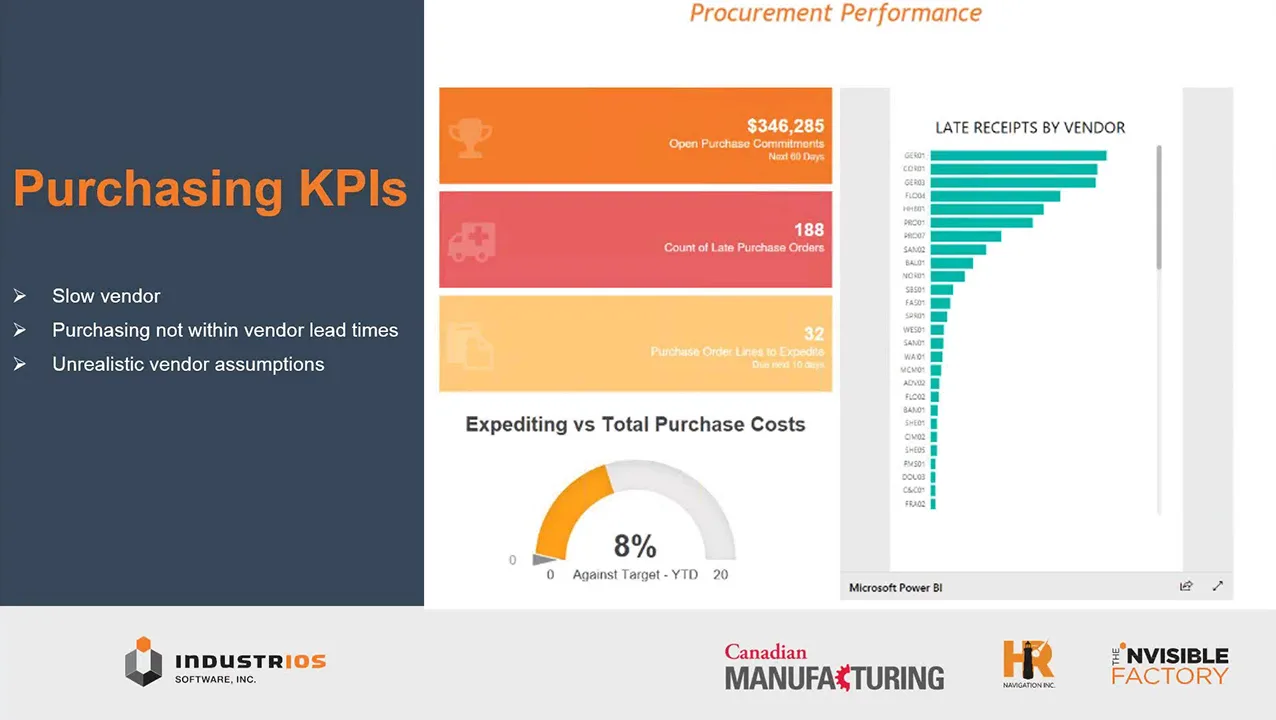
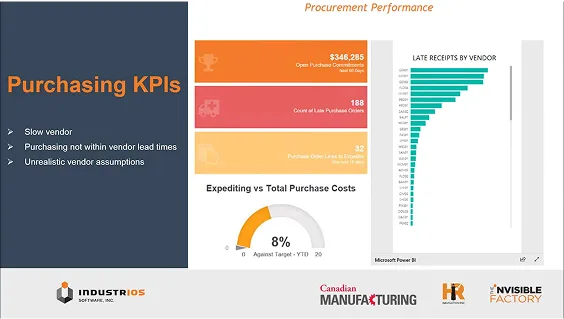
- Purchasing specialized parts can’t rely on old templates. Engineer to order ERP automates requisitions, tracks vendor performance, and monitors deliveries aligned with project milestones.
- Purchasing specialized parts can’t rely on old templates. Engineer to order ERP automates requisitions, tracks vendor performance, and monitors deliveries aligned with project milestones.
- Project-Based Production Planning
- ERP systems help map each step, schedule resources, and update capacity planning as engineering changes occur. When a change arises, the ERP instantly updates related procurement and production tasks.
- ERP systems help map each step, schedule resources, and update capacity planning as engineering changes occur. When a change arises, the ERP instantly updates related procurement and production tasks.
- End-to-End Cost and Progress Tracking
- For every department—engineering, purchasing, production, and finance—ERP centralizes time logs, materials consumption, and project milestones. This ensures everyone knows project status, costs, and upcoming risks.
- For every department—engineering, purchasing, production, and finance—ERP centralizes time logs, materials consumption, and project milestones. This ensures everyone knows project status, costs, and upcoming risks.
- Quality Management and Validation
- Industrial equipment projects require strict quality checks. ERP systems connect test plans, validation results, and compliance checks to each project file, maintaining traceability and improving accountability.
- Industrial equipment projects require strict quality checks. ERP systems connect test plans, validation results, and compliance checks to each project file, maintaining traceability and improving accountability.
Key Features to Look For in Engineer to Order ERP
- CAD, PLM, and document management integrations
- Multi-level BOM and revision tracking
- Project-based scheduling and capacity planning
- Automated procurement linked to changing engineering specs
- Cost and milestone management
- Audit trail for quality and compliance
“ETO manufacturers need ERP that can pivot and adapt as projects evolve—systems that connect engineering, purchasing, and production every step of the way.” — Edward Szukalo
How INDUSTRIOS Supports Engineer to Order ERP
INDUSTRIOS ERP connects engineering, procurement, production, and finance within a single platform built for engineer to order workflows. Every team works from the same project data as designs evolve and requirements shift.
CAD and PLM integrations keep BOMs synchronized with the latest design revisions automatically. When an engineer updates a spec, procurement and production see the change immediately without manual handoffs. Project-based scheduling, cost tracking, and capacity planning give managers real-time visibility into budget health and timeline status across departments. Procurement ties directly to project BOMs, generating requisitions from current design specs and aligning deliveries with project milestones. Quality management and document control embed at the project level, connecting test plans, compliance records, and technical documentation to each project file for full traceability.
The result is an engineer to order ERP where complexity doesn’t require workarounds or disconnected tools.
Final Thoughts: Engineer to Order ERP Drives Project Success
For industrial equipment manufacturers, engineering to order ERP is a strategic requirement. The process complexity and need for real-time, collaborative data sharing make modern ERP systems essential for managing risk, delivering on customer promise, and improving profit margins. Manufacturers who invest in dedicated ETO ERP get reliable control, better project outcomes, and a scalable foundation for future innovation.
Ready to see how INDUSTRIOS ERP supports engineer to order project manufacturing?
Request a Demo to explore ETO-specific features and real project workflows.