ERP User Training: Building Knowledge and Confidence for INDUSTRIOS Success
In our last post, we talked about putting your ERP (enterprise resource planning) implementation plan into action, configuration, migrating your data, and measuring your progress as you go. Now it’s time to shift gears from setup to people, because even the best system only works if your team knows how to use it.
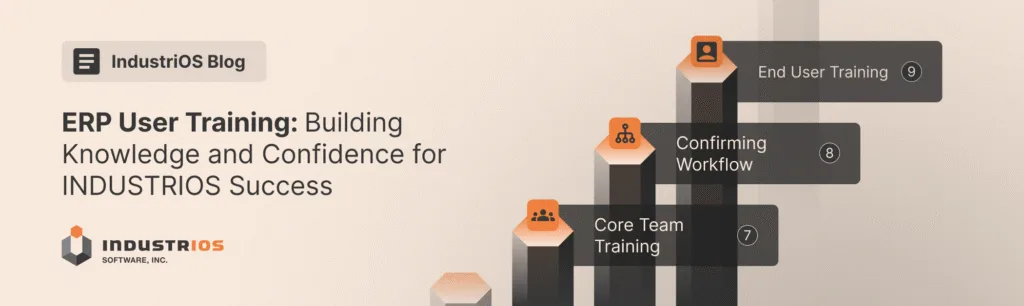
Today’s stepping stones focus on building real skill and confidence: Core Team Training, Confirming Workflow, and End User Training.
Quick Recap: Where We Are Now
You’ve set clear goals, mapped your starting point, tailored your INDUSTRIOS system, imported clean data, and measured how far you’ve come. That’s solid groundwork. The next move is empowering your users, setting them up for efficiency and accuracy.
INDUSTRIOS Project Roadmap: Stepping Stones Seven to Nine (Continuing From Our Last Blog Post)
Step 7: Core Team Training
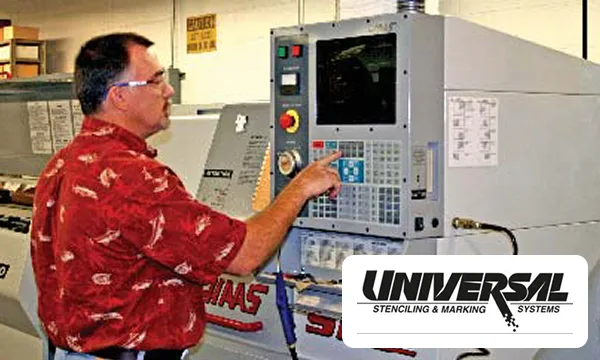
Your core team are your ERP “power users.” They’re the first to roll up their sleeves, handling daily transactions inside the system. These staff get hands-on, practical training built with real company data.
- Sessions emphasize day-to-day activities: adding, modifying, and deleting records; running workbench queries; troubleshooting when questions come up.
- The team works with documents straight from your business—not generic examples—so everything feels relevant.
“Get your core team comfortable in the software, and they’ll do half the work of supporting rollout.” – Edward Szukalo, General Manager at INDUSTRIOS.
Practical knowledge beats any theory. The more your core team practices with live-like scenarios, the faster they’ll spot issues, answer questions, and set a positive example.
Step 8: Confirming Workflow
Knowing how the system works is one thing, but knowing when to act and how information flows between people takes the learning to the next level.
- The team goes step-by-step through actual business processes, confirming trigger points, actions, hand-offs, and outcomes.
- They update or create documentation, building clear guides for every day and future onboarding.
- The focus is on pinpointing exactly who does what, with what inputs, at which stage—no more mystery or guesswork.
Edward puts it simply: “Workflow clarity means fewer mistakes and less finger pointing. Everyone knows their role.”
Step 9: End User Training
Not everyone in your business needs deep technical expertise, but everyone does need to know the essentials for their job. End User Training is about clear, company-specific instructions for each group.
- Sessions focus only on what’s relevant, no more information overload.
- Cross-training opportunities emerge as users get to try out other tasks, promoting flexibility and a team mindset.
- Everyone practices key procedures in an environment where questions are welcome and support is right there.
By the end, your staff should feel comfortable, not just with clicking buttons, but with understanding workflows, knowing where to get help, and troubleshooting simple issues.
Best Practices for ERP User Training
- Use real data and scenarios whenever possible for better retention.
- Blend teaching methods: live demos, interactive workshops, simulations.
- Create clear documentation as you go, what you write now is future onboarding gold.
- Get user feedback often and act on it fast. Adjust training to what people really need.
- Plan for training to continue past go-live; make learning part of life with INDUSTRIOS.
Final Thoughts: Setting Up Users for Ongoing Success
When training is tailored, interactive, and well supported, teams gain confidence faster—and ERP value follows. The Stepping Stones brochure shows how this approach fits into a broader rollout framework that delivers smoother workflows, fewer errors, and stronger adoption.
Next Up in the Series
Next time, we’ll close out the series with go-live, support, and post-project reflection — or, if you’d prefer to see the framework in action now, you can Request a Demo and explore it live.